Friday, May 20, 2016

Virtual News Background for Video Production

Virtual newsroom background for green screen chromakey
Flex Virtual News Set

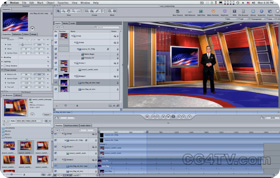
Virtual newsroom deigned for full body presentations as well as for usage with real or virtual furniture. Available for purchase as a virtual set of 7 camera angles. Note that every camera angle can be purchased separately. Each camera angles has up to 6 layers including layers without the virtual desk. The newsroom has magenta and blue color palette. For more information please visit our online store cg4tv.com

virtual news set camera

Wednesday, May 11, 2016

Virtual news backgrounds for green screen

Virtual set store CG4TV.com offers a selection of green screen backgrounds for news.


Every virtual newsroom background includes multiple layers, to allow using them with and without virtual desk and chair. All virtual backgrounds are compatible with most video editing software, including Tricaster, After Effect, Final Cut Pro, etc.

If your solution has chromakey removal feature, you can use our backgrounds. To be sure you can download the free test files from our web site, as well as free video tutorials. We often repeat to people who just learn how to use the green screen for their projects, that they don't need to purchase anything to figure out if green screen technology will work for them. All they need to do to download the free test files, download free trial version of Adobe Aftereffect and do all the steps in our free video tutorial to see the result.

Friday, April 29, 2016

Talk Show Virtual Studio Set


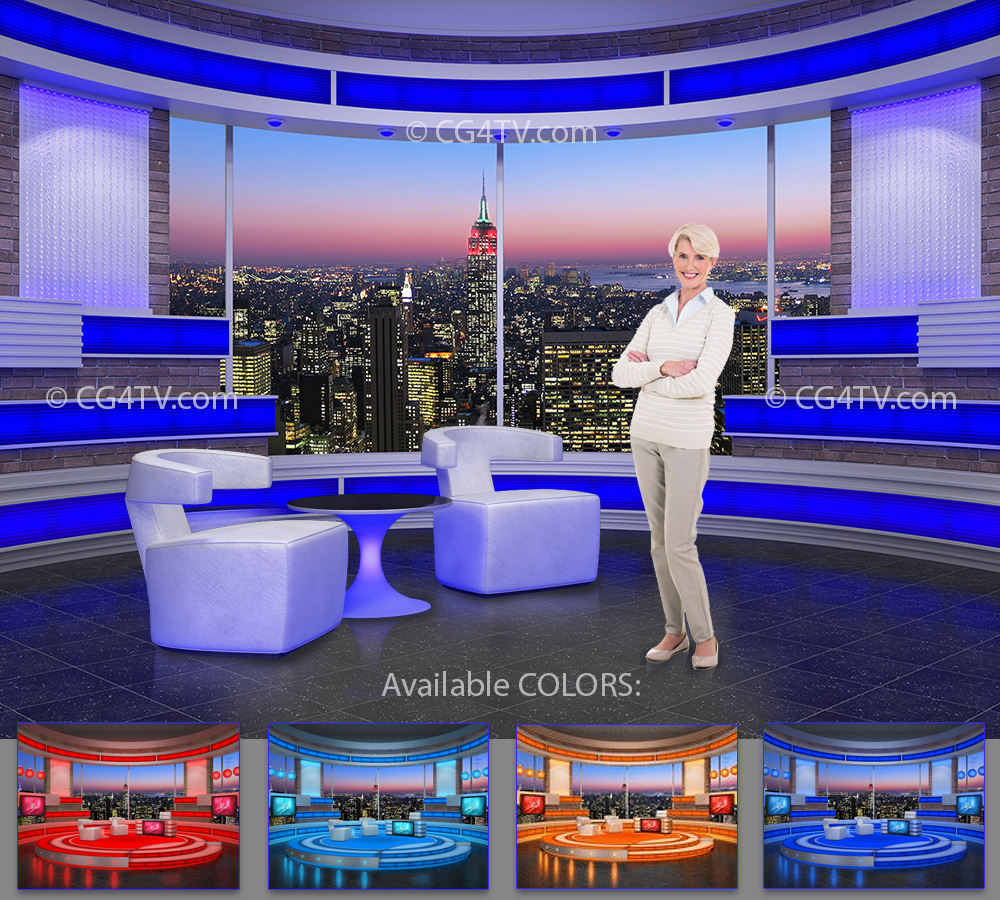
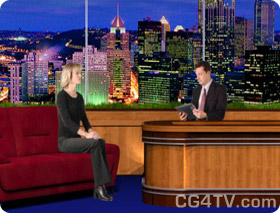
Royalty Free Virtual Talk Show Studio Set has up to 6 of different layers for each camera viewpoint.


Talk Show Studio is available in four different colors at http://www.cg4tv.com/virtual-set/talk-show-virtual-set-orange.html. This virtual background looks best if used with real furniture. Modern and stylish this large upscale space makes any talk show look professional and expensive.

This virtual talk show studio is highly customizable. You can replace the background with the photo or the video of your own city skyline. You can select two different types of floor and of course you can add your own B footage into the monitors and the front panel of the desk.

It can be used with the real furniture for virtually any amount of guests.
  
The virtual talk show studio is available for immediate download. 
 

Thursday, April 28, 2016

Doctors Office Virtual Background for Green Screen Video Editing


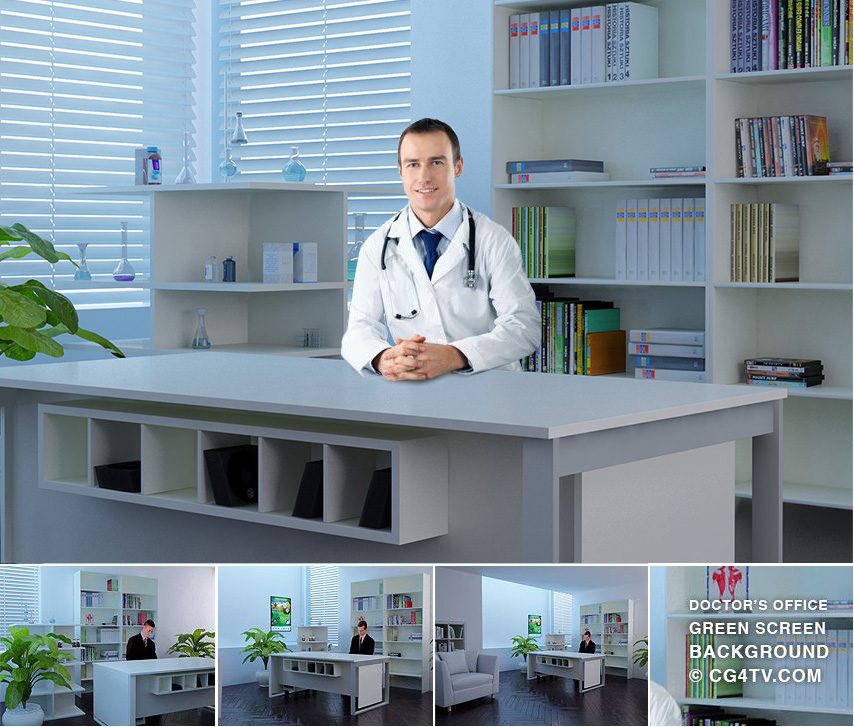
This virtual set is created for news, interviews and advertising purposes. First camera angles are now available at http://www.cg4tv.com/doctors-office-green-screen-background.html

This background features a medical cabinet with typical settings for such rooms: white color walls and the desk, shelves filled with medical books. There are two version of the same image included in final delivery files.

Thursday, February 12, 2015

First 4K Ultra High Resolution Virtual News Set

First 4K Ultra High Resolution Virtual News Set

Green screen backgrounds store CG4TV.com is starting to add 4K ultra high resolution virtual sets into CG4TV virtual sets catalog.

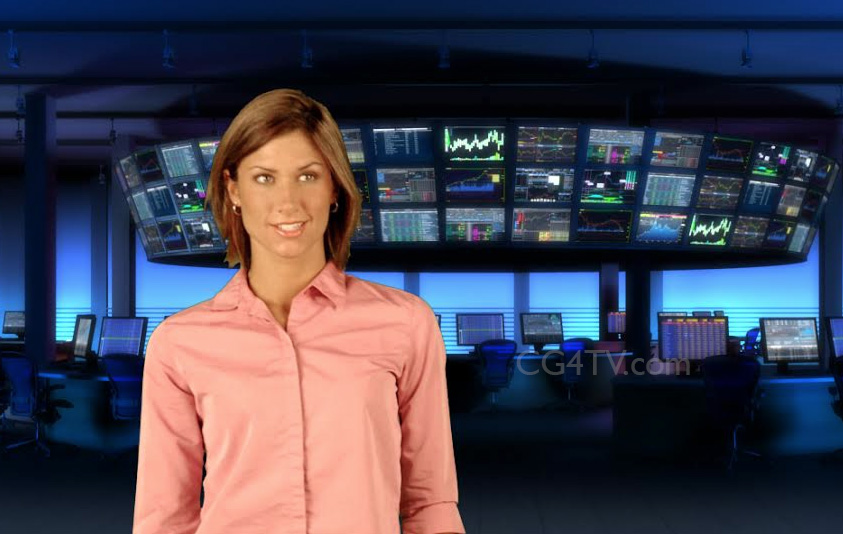
4K Ultra High Definition Financial News Set
One of the first 4K Ultra high definition virtual set

Check out this new product, the Financial News Background in 4K at http://www.cg4tv.com/virtual-set/financial-news-green-screen-background-chromakey.html

The virtual set store CG4TV.com offers various high quality products for broadcast TV and video professionals. Products can be purchased separately or as a packages in different resolutions including 4K. The price is shown for every product. All their products are royalty free.

Products include: virtual sets for news, animated  backgrounds, 3D images and 3D animations. The most popular products are the virtual sets and 3D animations.

The store does not have resellers so all products are exclusive and used by major TV channels worldwide. The store has been around for over 5 years.

All products are conveniently available for immediate download.


Wednesday, February 11, 2015

New service launched: bundling virtual sets, intros and lower thirds!

We are proud to announce that we have launched a new web site to allow beginning, advanced and  video professionals to get access to a variety of low cost broadcast quality products.

Click to visit our new Virtual Set Store! 

Virtual set store

This site will provide educational organizations and institutes access to a large selection of backgrounds for their video editing classes, as well as allow them to create professional looking news on modest budgets.

Virtualsetstore.com is a subscription based store where after a payment of $99 for a 12-month subscription a subscriber can download a large variety of different virtual sets, HD video backgrounds and animations.

All products are intended for 720p & 1080p resolution video productions and have a 16:9 aspect ratio.

The products include virtual sets for green screen, animated HD backgrounds, animated intros and lower thirds. The store offers great value for educational organizations as you get a lot of value for your money, enabling you to create amazing TV shows and video productions even on really modest budgets. Some products are temporary in the store, so you want to download the entire library once you purchased the subscription and return once in a while to check if there are any new products. The store sends out notifications of new arrivals every 2-3 months.

All HD animated and green screen backgrounds are for software based low cost video editing products such as Adobe Aftereffects, iMovie, Final Cut pro and others. 

Monday, June 9, 2014

New Product -- Financial News Virtual Set


Coming soon: Financial News Virtual Set 

We also have talk show virtual sets and world news virtual sets. 

Wednesday, May 8, 2013

BEST VIDEO EDITING SOFTWARE WITH GREEN SCREEN EDITING

We are often asked what is the best video editing software to work with virtual sets and green screen? We typically use Adobe After Effects. From our experience, it's one of the easier ways to play with green screen effects and it produces best the best key. But there are many of them available. Our list includes Apple Final Cut Pro, Apple Motion, Adobe Premiere Pro, Adobe Ultra, Avid Media Composer, Avid Studio, Avid Pinnacle studio HD, Eyeon Fusiom, Grass Valley Edius 6 and Sony Vegas.

Monday, April 15, 2013

Free Adobe AfterEffect Virtual Set Video Tutorial


Adobe AfterEffect Virtual Set Free Video Tutorial

For your convenience we added a transcript and close captions to the video tutorials.

TEST virtual set files are available at www.CG4TV.com.

Note: This tutorial is available in high definition 720p.

Transcript for Adobe
AfterEffect Virtual Set Tutorial:

Welcome to the Virtual Set basic compositing tutorial.

Start a new composition with the settings of your project.

Drag the main layer of the virtual set to the composition.

Create the adjustment layer. This layer will used to control the position and zoom of your virtual camera.

Now, link the main layer to the adjustment layer.

Press the "S" key to expand the scale value of the Adjustment layer. You can now test how the main layer is scaling by sliding the scale value with your mouse.

Drag the source chromakey video to the composition. Link it to the Adjustment layer.

By changing the scale value of the adjustment layer you can now see how it is scaling the whole virtual set.

Select the source chromakey video and add it to the composition. Right click on the selected layer and apply a New Mask onto it.

Double click on the edge of the mask to switch to mask editing mode. Scale the mask to crop the unneeded area from the frame.

Adjust the scale and position of the chromakey video so it looks correct in the scene.

To quickly remove blue or green; color assign a Color Key filter before assigning the final quality chromakeying filter.

Pick the background color which will be keyed. Adjust the Color Tolerance to remove some of the color range.

Duplicate the Color Key filter, and choose the other part of the background which was not keyed.

Duplicate the Color Key again and pick the color you would like to remain in the background.

Now assign the Simple Choker filter to expand and round the matte of keyed video.

Only the color blue around the keyed actor will be used in the final chromakey filter, and will speed up the rendering.

Add a Keylight filter to your chromakey video. Pick a Screen Color with the Keylight color picker.

Then adjust Clip Black and Clip White values to remove any transparency of the talent.

Add a Simple Choker filter to the chromakey video to clean up the edges.

Adjust the position and scaling of the Adjustment layer to correctly frame the virtual set.

Add the video or still footage which will be used as content on the monitor in the virtual set.

Apply a Corner Pin filter on the monitor content. It will be used to adjust the footage to the monitor`s perspective.

Move the Corner Pin control points to the corresponding corners of the monitor.

Link the monitor`s content layer to the Adjustment layer.

Now by moving the Adjustment layer you can see that everything moves together.

By setting keyframes in the position and scale values and transforming

The Adjustment layer you can simulate the motion of the virtual camera.

 Transcript page: How to use virtual sets with Adobe After Effects

Sunday, March 31, 2013

New virtual set in production


Previews of new virtual news sets and animated backgrounds are in production. We also finally are going to add sound to our free virtual set compositing tutorials.

Our sets are fully compatible with virtually all keying software for Macs and PCs presently on the market (After Effects, Ultra, as well as Final Cut Pro, etc.). They are layered files in .png format at a high resolution providing ample room to pan and zoom to set up your shot.

Monday, March 18, 2013

How to Create the Best YouTube Videos for Your Channel

Are you looking for a way to create the most successful videos for your YouTube channel to become an online sensation? If you are, then have you ever considered using virtual sets and green screen backgrounds? These two items have great importance when it comes to creating videos. They will help to bring more people to your channel. Virtual sets and green screen backgrounds both have their own benefits and it is not that difficult to set them up. A green screen is flexible and has great portability meaning that you can carry it with you anywhere! This will help you take your equipment wherever you go. Time is saved with the help of a green screen background. These two pieces of equipment will help to add a professional look to all of your videos. Just make sure that you have chosen the perfect chroma backdrop for your green screen. A good camera will also be needed if you want to produce good videos. An HD camera would work perfectly, so if you have one, then you shouldn’t worry about anything! Make sure that you utilize the virtual set properly. If you do not know how to set the two items up, then there are many videos online that will help you learn how to do so. What are you waiting for? Go to the store today and buy yourself a virtual set and green screen background to start creating the best videos for your YouTube channel.

Tuesday, April 3, 2012

Major Price Reduction!

We’ve permanently reduced prices on our rare high quality 3D stock footage clips. Get animated HD clips and abstract backgrounds under $99 now.

Wednesday, December 14, 2011

20% OFF Season's Sale on Christmas 3D Animations

Only for the category of Christmas Animations. Use coupon code XMAS1211 to receive 20% discount for all Christmas Animations. Offer Expires December 23, 2011.

A Rich Stock Footage Database Can Effectively Cut Production Cost

For the producers, budget issue is one of the major concerns while shooting for anything. In the other hand, a director cannot give his best unless he gets the desired high quality shots. To manage both these cases under a mutual agreement, you have to think about some alternatives. There come the stock footage companies. These companies provide High Definition (HD) footage according to director’s preferences. When you need thousands of dollars to arrange a shooting session, you need to pay few hundreds for getting access to tons of stock footage for editing and publishing. So, choosing the stock footage provider company is a very economic option for a producer.

You can lower the production cost to a huge extent by using the downloadable online stock footage clips now. Certain companies have a huge collection of these pieces, which can be used in any international level film. The examples of a few collections may be named as dangerous wildlife, cities or landmark profile footage, historical videos and Christmas animations and many more like these. As an example, in the movie “Forest Gump”, you have seen three historical figures John Lennon, John F. Kennedy and Richard Nixon. These are all a charisma of the stock footage archive.
There is an amazing truth behind these precious stock footage. Do you know who have the largest archive of such footage? Amazingly, United States Government offices house a huge collection. Different agencies say NASA, US military develops official footage, which you can access from the suppliers. You have to pay a nominal amount to access their video databases. You won’t even have to pay the royalty fees for using these videos in most cases.

Use of these collaborations is increasing day-by-day

Computer graphics and 3D animation technology have got a great hype in the past decade. If only a few A budget films had access to 3D animation just a decade ago, now more and more animation studios can produce a virtual hd clips using the latest graphics resources. And this development makes the stock footages more popular. They can be edited, developed and combined easily and look lively than ever.

If you want to collect these clips from the authorized and associated offices or, companies, you have to go to different places, cities, even countries. Some animation studios however have 24/7 store representation. CG4TV.com is a good example of such company. They have all types of 3d animation clips you might look for in their 3D animation footage collection and all their products are available through simple downloadable links. Paying a very nominal charge for these exclusive quality stock footage animations, you can cut the production cost to half or, even less than that.

Tuesday, October 19, 2010

Animated Dance Stage Virtual Set

Animated Dance Virtual Set, Green Screen Background
CG4TV just finished work on Animated Dance Stage Virtual Set. First cameras of the set are available for purchase now.

Tuesday, August 10, 2010

Summer sale

Summer sale. 10% discount off all CG4TV products. Coupon code: SUM10TW.

Sunday, June 13, 2010

The E-spaces / CG4TV team has won 1st Prize for Special Effects

BREAKING NEWS: The E-spaces / CG4TV team of 3D animators, led by Philippe Van Nedervelde, has won the "1st Prize for Special Effects" at the Breckenridge Film Festival for our work on the movie "The Singularity Is Near" which is the movie version of Ray Kurzweil's book with the same title. We share this prize with the team around Tony Hudson who... worked on the fictional narrative thread of the movie.

In front of a packed audience, the movie's director Anthony Waller accepted the prize on our behalf.

At the same festival, the movie also won 2nd Prize for the most popular movie in the form of The Audience Prize (three awards in this category were awarded). This prize category was the result of members of the audience filling out ballots, on which voters had to list 3 films in their order of preference.

Over 300 movies had been submitted to the festival, and only 52 were selected to compete for which the audience vote was eligible. The movie might have had an even more successful result had the ballot sheets been handed out to the audience members as they left the theater, as nobody was made aware of the possibility of voting for our movie at the time. So that 2nd prize for the most popular movie ('The Audience Prize') was not a bad result either within that category.

Monday, April 19, 2010

Virtual Stage Set


The Virtual Stage Set was finalized and we are rendering it in final quality. Available for immediate download from virtual sets store

Free Tutorials for Adobe After Effect and Final Cut PRO available.


Virtual Sets and Green Screen Backgrounds Tutorial
We are working on free Virtual Sets Tutorials for Adobe After Effect and Final Cut PRO.
First video lessons for green screen are now available. We are busy recording the narration for those lessons.

Thursday, March 4, 2010

Work in Progress: Talk Show Green Screen Background

Talk Show Green Screen Background and Virtual Set

Late Night Talk Show Green Screen Background

We are designing a new stage set and we would like your opinion about how we might improve it. Note that we can also make customized versions of the set to fit the needs of particular projects. To request To discuss customizations, please send us an e-mail at: info@cg4tv.com

Classic layered virtual talk show set designed to be used with real or virtual furniture primarily for late night talk shows. Furniture of any color or shape will work with this classic background. The desk and the sofa will be on separate layers, so you can use one of the two. We plan to add different backgrounds. You can add backgrounds of your own too.